Tech Tarik: Limau Ais - Our Local AI Server
Our first Tech Tarik update, comes with a serving of limau ais (lemonade), covering our open stack local AI setup and usage
Why a local AI workstation/server?
Sinar Project, in close collaboration with ARTICLE 19 and Centre for Independent Journalism (CIJ) is conducting the Safeguarding Our Information Ecosystems project, aimed at responding to online threats to freedom of expression, privacy, and data protection. As part of this initiative, we procured a local AI workstation (that also doubles as a server) to help equip civil society organization members with the technical expertise to effectively advocate on the issues related to AI, data protection and social media algorithms. In short, it was for us to understand the technical fundamentals in order to better advocate on technology-related policies with government agencies and technology companies. For instance, we would want to know how data is stored or travels when running an AI model, as well as conduct human rights impact assessments on open-sourced AI models. The learning experience is also expected to help us understand better when these actors use fancy terms like digital or data sovereignty, privacy-preserving, end-to-end encryption, human oversight and hallucinations when justifying their policies, features or investments.
What is local AI?
Local AI runs locally on a machine such as your computer and phone, instead of a cloud service like mainstream AI tools like ChatGPT, Gemini and Claude.. Instead of the multi-country data centres that these tools use, local AI models are all on a machine controlled by you: the prompts, data trained by the model (usually downloaded from a public repo like Hugging Face) and the outputs.
Hardware specs and procurement

We procured our AI workstation from a custom build vendor based on comparing a lot of quotations (12 of them!) by Malaysian vendors. It took us about 10 months in total, from getting quotations to finally getting the server at our office, due to the volatile prices and shortage of hardware components. Given the surge of AI hype globally, the hardware prices had risen quickly. A component’s price was constantly increasing each month, and even then parts were not even available for order.
We deliberated between a ready-made server from traditional vendors vs a custom build. We decided on a custom build, as a learning exercise on server components, as well as the price and value based on available specifications. Evaluating hardware specifications was one of the learning experiences, as we had to ensure that we procured the best value of hardware given our limited budget and volatile prices. We looked at indicators such as CPU Benchmark Score, GPU AI performance scores, memory (RAM) and storage space (SSD/HDD). This knowledge is valuable as we can also compare ICT costs in the public sector, given the scope of the project, and can hold them accountable for using taxpayer funds when deploying digital services for the public.
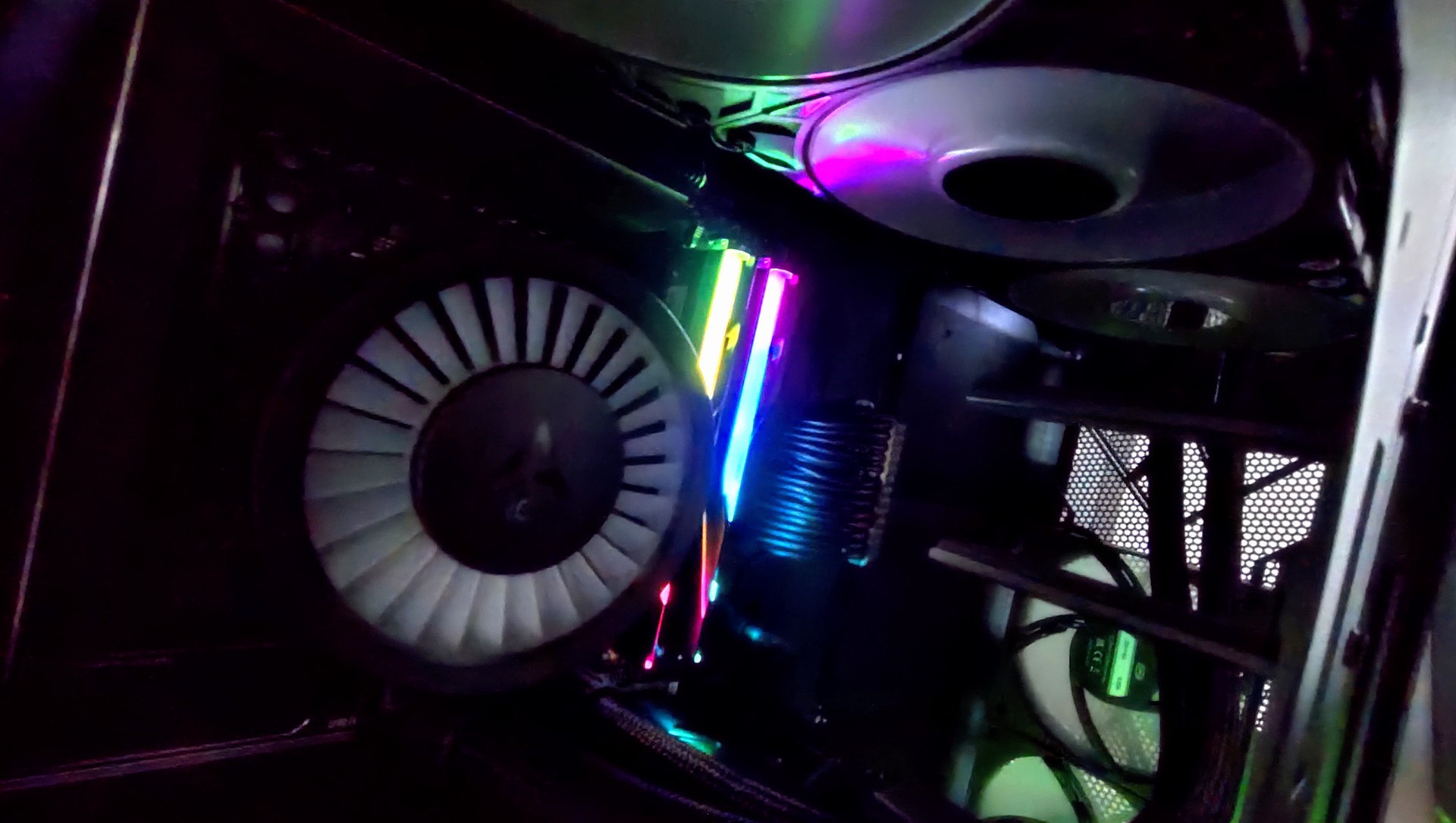
The total cost was about ~RM28,000 (ordered in February 2026). If anyone’s curious, here’s a list of our workstation specifications:
- Processor: AMD Ryzen 9 9950X3D
- Motherboard: Asus Proart X870E-Creator Wifi
- GPU: Sapphire AI Pro R9700 32GB
- RAM: G.Skill Trident Z5 Neo RGB (DDR5/AMD EXPO) 2x32GB
- SSD: Samsung 9100 Pro Heatsink 2TB
- HDD: Seagate Barracuda 4TB
- Casing: Phenteks Enthoo Pro 2 Server
Local Open Source AI Stack

Our organization values the rights that come with free/open source software such as the right to study and modify how it works and to share freely with others. Our local AI server is also built on an open source stack of Ubuntu Linux, AMD’s Lemonade Server and ROCm AI and compute library stack.
Except for our FreeBSD router, we standardise on Ubuntu Linux. We chose the latest Ubuntu 26.04 Desktop release, because it includes the AMD ROCm stack as part of the base packages and better support for the GPU due to the newer kernel. Desktop release allows the team to use it as a desktop workstation at the office. Being Linux, it also runs server services and remotely accessible via command line terminal . Built-in support for ROCm AI stack makes maintenance and troubleshooting easier. sudo apt install rocm is the only step that’s needed as an installation step, and all future updates are part of the supported system updates.
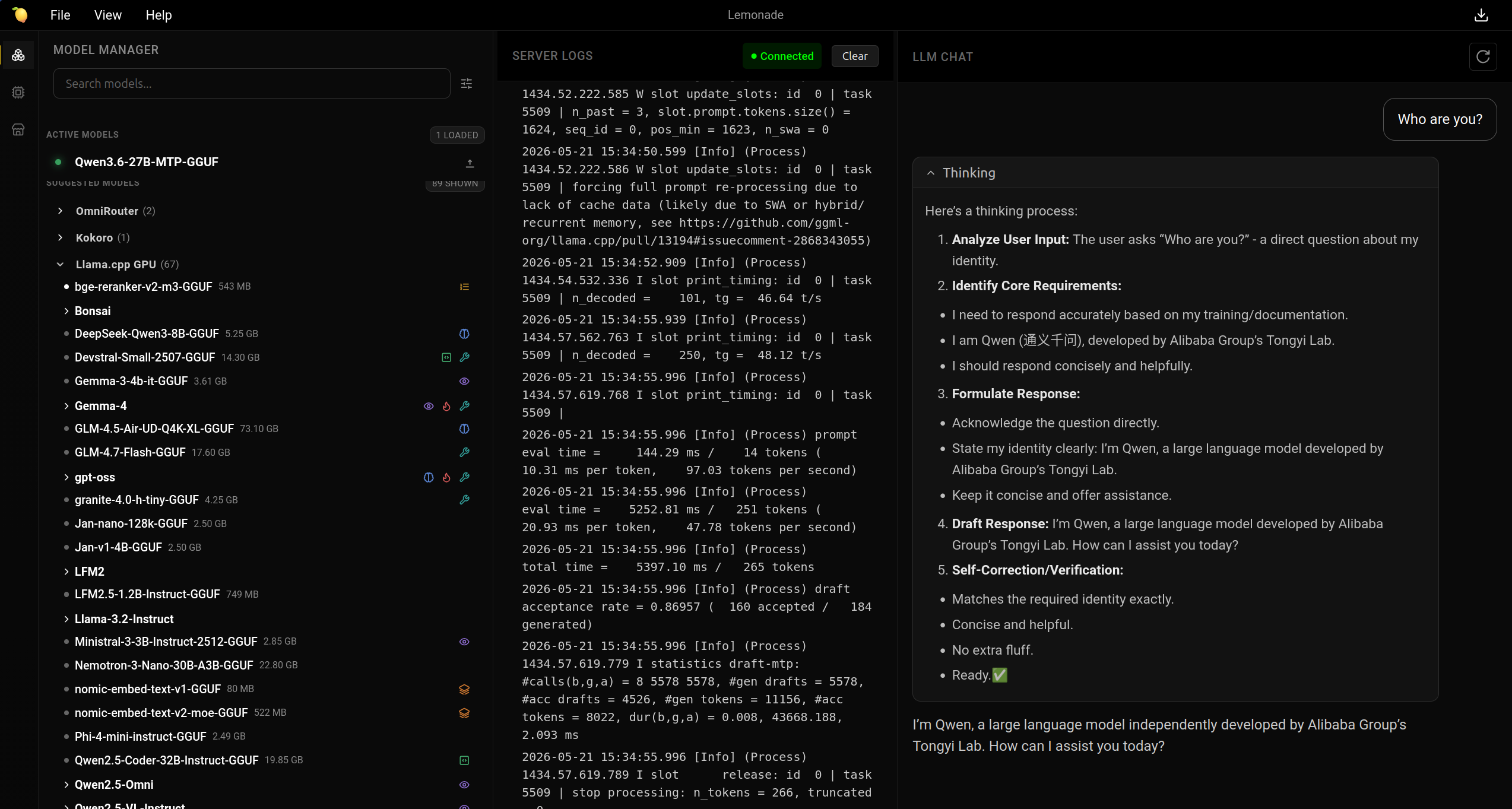
We also chose the open source Lemonade Server as the local AI model server and router. It provides an OpenAI and Ollama API endpoint, along with a web user interface to manage various models and backends. It also provides strong support for AMD GPUs and hardware for the backends.
Most importantly, the inference backends are popular open source projects such as llama.cpp, vllm, whisper.cpp and more. This makes troubleshooting easy as documentation and various options and tweaks are the same as the upstream project. Fixes and improvements will also go back to those projects that lemonade depends on, which in turn gets pulled as an update in lemonade.
An example is the recent support of Multi-Token Prediction (MTP) in llama.cpp. Within several days of it being available in llama.cpp, it was available in lemonade. Similarly downloaded models are pulled and stored in a standard HuggingFace cache dir, which makes it possible to share models with other applications.
Open source stack also provides a learning opportunity on how to contribute to and collaborate with open source projects. We ran into a bug, where AMD’s 9000 series Zen processors have an integrated GPU (iGPU), which causes llama.cpp to think there are two real GPUs and causes it to crash when trying to enable parallelism. We filed a bug report along with a workaround, that looks like it will be fixed soon.
How it is being used right now
The local AI server is providing the team access to cutting edge open weight models to support them for various coding and scripting tasks with coding agent, Retrieval-Augmented Generation (RAG), audio transcription and image classification. Especially for data processing tasks, local AI also enables us to ensure that data of our partners are never shared with external parties. The AI API endpoint is accessed via our internal VPN network.

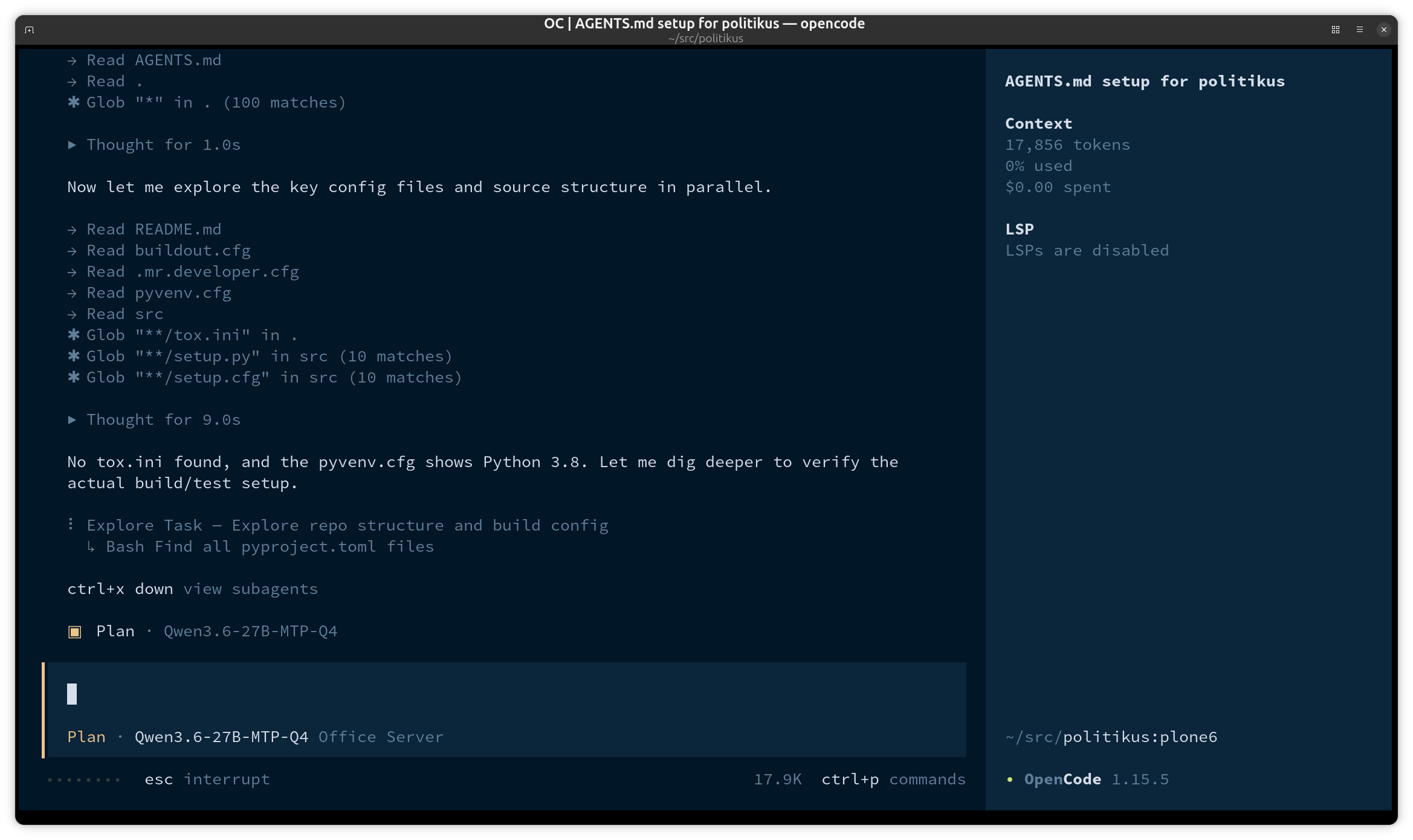
Agentic coding supports our small team of 4, to speed up writing various scripts for working with data, maintenance tasks and fixes for our various website and civic tech projects. We are currently using OpenCode backed by Qwen3.6 27B MTP, Qwen3.6 35B A3B MTP, Gemma 4 31B and Gemma 26B A4B models run on our server.

To support investigative journalism tasks, we also run tuned local RAG services to query multilingual documents with citations. For this we are using LightRAG with Qwen 3.6 35B A3B (Q5), Gemma 26B A4B Qwen3 Embedding 8B and Qwen3-Reranker 4B. Multiple instances for related sets of documents, queried through an agent, provides accurate results that can be quickly verified with source citations.
Additionally the server allows the team to keep up to date with the rapid pace of AI development, by being able to test the latest models such as multimodal support (text, image, video and audio) and Agentic AI. Along with internal capacity building, we are also able to provide civil society with the same access at workshops and trainings.
Future plans and Civil Society Support
We have a mid-range level GPU, it cannot support more than one or two users at a time at the moment. We are planning to be able to add a second GPU for more capacity. Additionally we are trying to build a community of technically inclined civil society actors to join us in learning and working on open source civic tech projects. Towards that end, we are organising knowledge sharing sessions each month, as well as upgrading our VPN infrastructure to provide access to community contributors. We will also continue to share our learnings from our research and development work.
To learn more about how you can contribute or support our efforts visit our Getting Involved page.
| Attachments | Type |
|---|---|
| CPU Cooler and Memory | Image |
| Lemonade Web UI | Image |
| OpenCode | Image |
| LightRAG query results | Image |
Supported by